
How to Turn Off the FaceFusion NSFW Filter (And Why You Might Not Want To)
If you have ever used FaceFusion, the popular free open-source face swap tool, to process a photo or video, you may have hit a frustrating wall. Your preview suddenly goes blurry, your output never gets saved, or the program just stops in the middle of processing with no clear explanation.
That is the NSFW filter at work. NSFW stands for "Not Safe For Work," a common label for content containing nudity or sexually explicit material. FaceFusion has a built-in system that automatically scans every image and video you process. If it thinks the content is NSFW, it blocks you from continuing.
There is no button to turn it off. There is no setting in the menus. And every time FaceFusion releases an update, whatever workaround the community found for the last version usually stops working.
This article explains everything you need to know: where the filter came from, how it actually works, how people have tried to disable it, and what you can use instead if you just want to get your face swap done without the hassle.
FaceFusion Has Had a NSFW Filter Since the Very Beginning
This is not a new feature that was added recently. The NSFW filter has been part of FaceFusion since version 1.0.0, the very first official release.
Over the years, it has only gotten more aggressive:
How the Filter Has Evolved
| Version | What Changed |
|---|---|
| 1.0.0 | The filter was introduced for the first time. According to the official changelog: "Blur preview and processing hold when NSFW content has been detected." Back then, FaceFusion used just one detection model with a simple sensitivity threshold. |
| 3.2.0 | The filter got a major upgrade. FaceFusion added a YOLO-based detector, a type of AI model originally designed for fast object detection in images. This made the NSFW scanning both faster and more accurate, catching content that the old model would have missed. |
| 3.3.0 | FaceFusion introduced a three-model voting system. Instead of relying on one model's opinion, three separate AI models now independently analyze your content. Your material is only blocked if at least two out of three models agree it is NSFW. The official changelog describes this as: "Run multiple NSFW models to prevent false detection." |
| 3.4.x – 3.6.x | No new NSFW-specific features were announced, but behind the scenes, FaceFusion added integrity checks, meaning the program now verifies that its own filter code has not been tampered with. If it detects modifications, it refuses to start. This is what makes older workarounds break with every update. |
What Does the Filter Actually Do When It Triggers?
When FaceFusion decides your content is NSFW, you will notice one or more of these symptoms:
- Your preview goes blurry: Instead of showing you the face-swapped result in the preview window, you see a pixelated or completely blurred image. The actual swap may have worked, but FaceFusion will not let you see it.
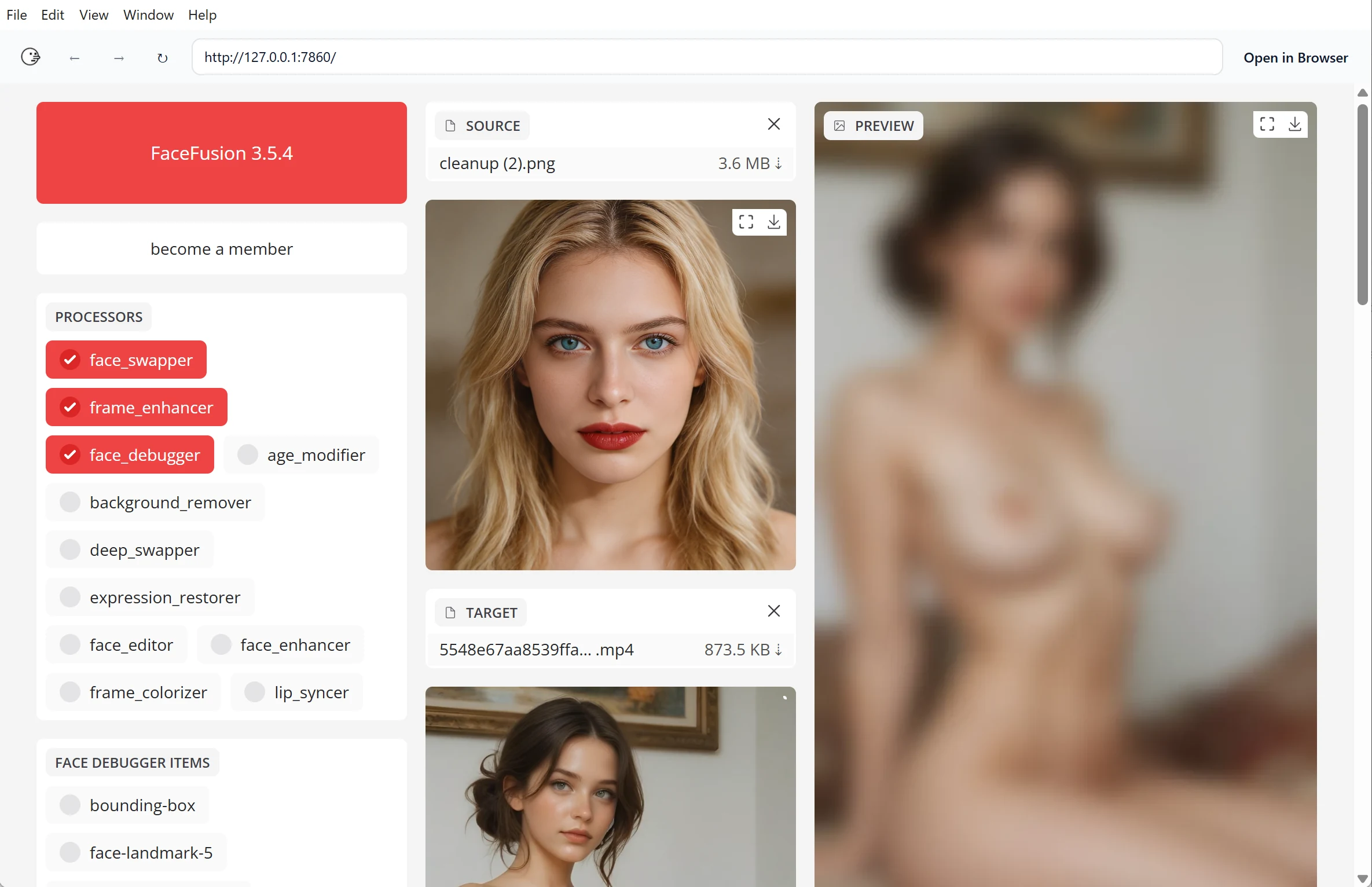
- Processing stops completely: FaceFusion refuses to save any output file. If you are running it from the command line (the text-based interface that developers use), it returns "error code 3," which means "NSFW content detected."
- The progress bar says "Analysing" and freezes at 100%: The program finishes scanning your content, flags it as NSFW, and then quietly stops. There is no pop-up message or warning. It just does nothing.
How Does the Filter Work Under the Hood?
If you are curious about the technical details, here is how the system is built (you do not need to understand this to follow the rest of the article, but it helps explain why disabling it is so difficult):
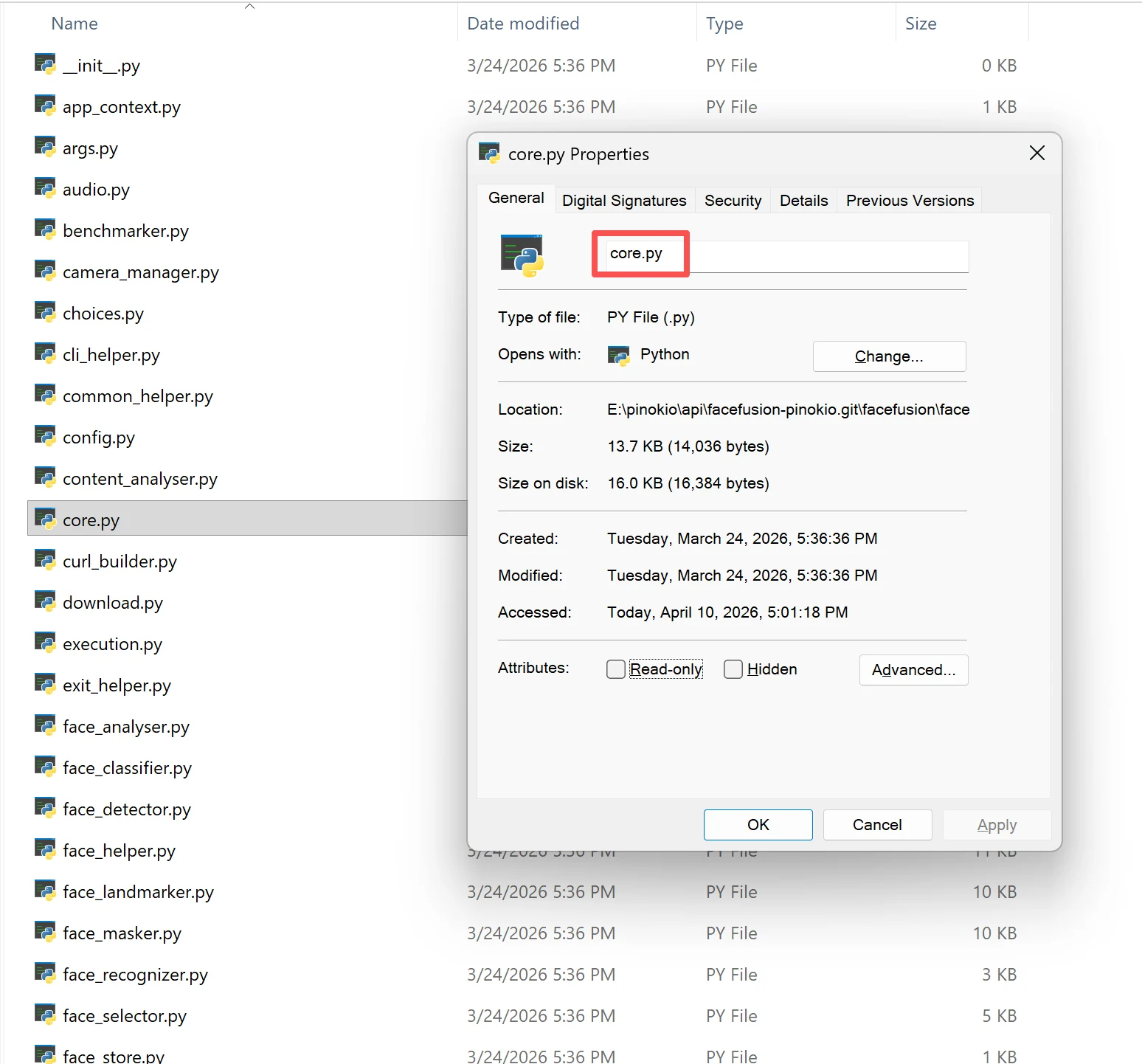
FaceFusion's NSFW detection lives in a file called content_analyser.py. This is a Python script (Python is the programming language FaceFusion is written in) that runs three AI models:
| Model Name | Made By | What It Scans At | How Sensitive |
|---|---|---|---|
| nsfw_1 | EraX | 640x640 pixels | Flags if confidence > 20% |
| nsfw_2 | Marqo | 384x384 pixels | Flags if confidence > 25% |
| nsfw_3 | Freepik | 448x448 pixels | Uses a different scoring method with a threshold of 10.5 |
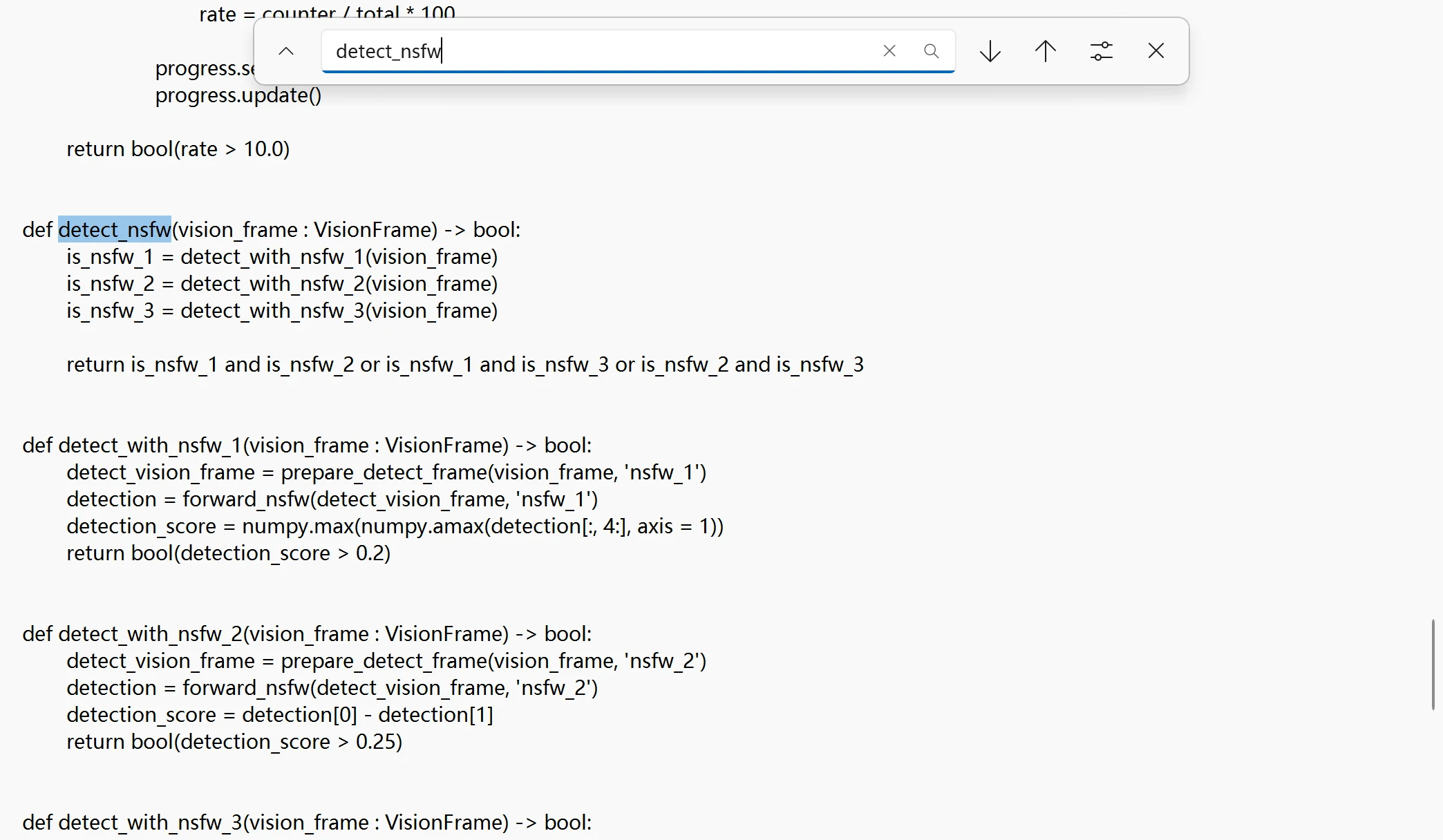
These three models each look at your image or video frame independently. The system then uses a voting rule: your content is blocked only if at least two out of three models flag it. In plain English:
If Model A and Model B both say "NSFW": blocked.
If Model A and Model C both say "NSFW": blocked.
If Model B and Model C both say "NSFW": blocked.
If only one model says "NSFW": you are fine.
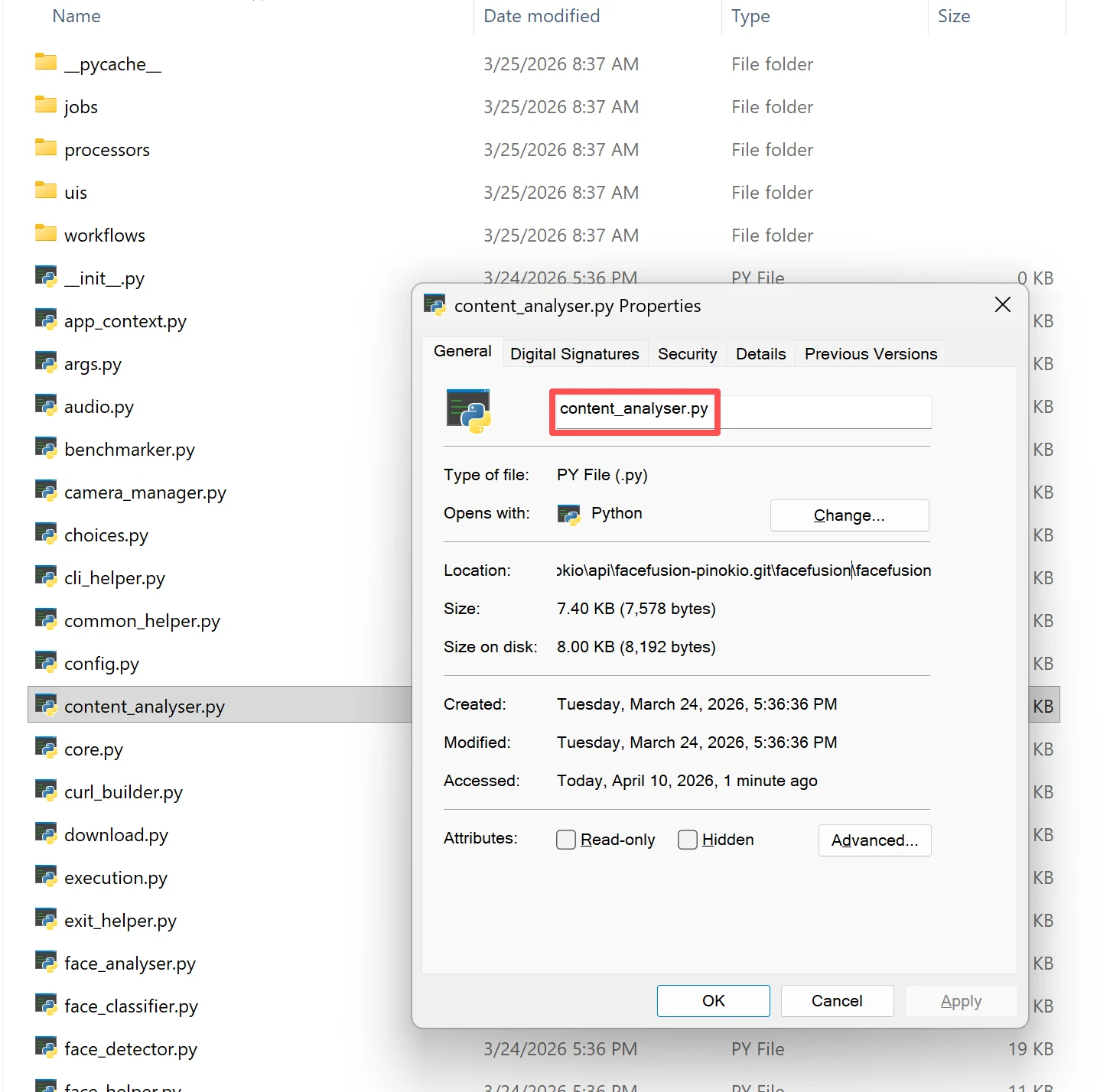
On top of this, another file called core.py contains a hash check. A hash is like a digital fingerprint of the filter code: a short string of characters that changes if even a single letter in the file is modified. When FaceFusion starts, it calculates the fingerprint of content_analyser.py and compares it against the expected value. If they do not match, meaning someone has edited the filter, FaceFusion refuses to launch at all.
There Is No Official Way to Turn Off the NSFW Filter
If you are hoping for a simple solution like a checkbox in the settings, a command you can type, or a config file you can edit, it does not exist.
We checked every official source:
- The FaceFusion CLI documentation (CLI stands for "Command Line Interface," a way to control the program by typing text commands) lists dozens of settings for face detection, output quality, video encoding, GPU selection, and more. None of them relate to the NSFW filter.
- The
facefusion.inifile (a configuration file where you can save your preferred default settings) supports overrides for logging, execution, UI layout, and face detection. Content analysis is not among them. - The Misc settings page only documents
--log-level(controls how much detail FaceFusion prints in the console) and--halt-on-error(stops the program when something goes wrong). No NSFW controls.
Bottom line: the only way to disable the NSFW filter is to manually edit the program's source code. You need to modify at least two Python files, and as you will see below, this is much harder and more fragile than it sounds.
How People Try to Disable the NSFW Filter
Since there is no official off-switch, the FaceFusion community has spent considerable effort figuring out how to modify the source code to bypass the filter.
The general approach involves two steps:
- Change the detection function so it always reports "this content is safe" regardless of what it actually sees.
- Remove the integrity check so FaceFusion does not notice that the filter code has been modified and refuse to start.
The exact details (which line numbers to change, which values to replace) differ from version to version. Below is a breakdown of what the community has figured out for each major release, including the common mistakes people make and how to fix them.
Version 3.4.1 and 3.4.2: The "Classic" Method
How to do it:
In these versions, the anti-tampering mechanism was relatively simple. You need to open content_analyser.py, find the detect_nsfw function, delete everything inside it, and replace it with a single line: return False. This tells the system "nothing is NSFW" no matter what it scans.
Then go to core.py and find the line containing a hash value that looks like content_analyser_hash == '803b5ec7'. Delete that part or comment it out by adding a # symbol at the beginning of the line (in Python, # tells the program to ignore that line).
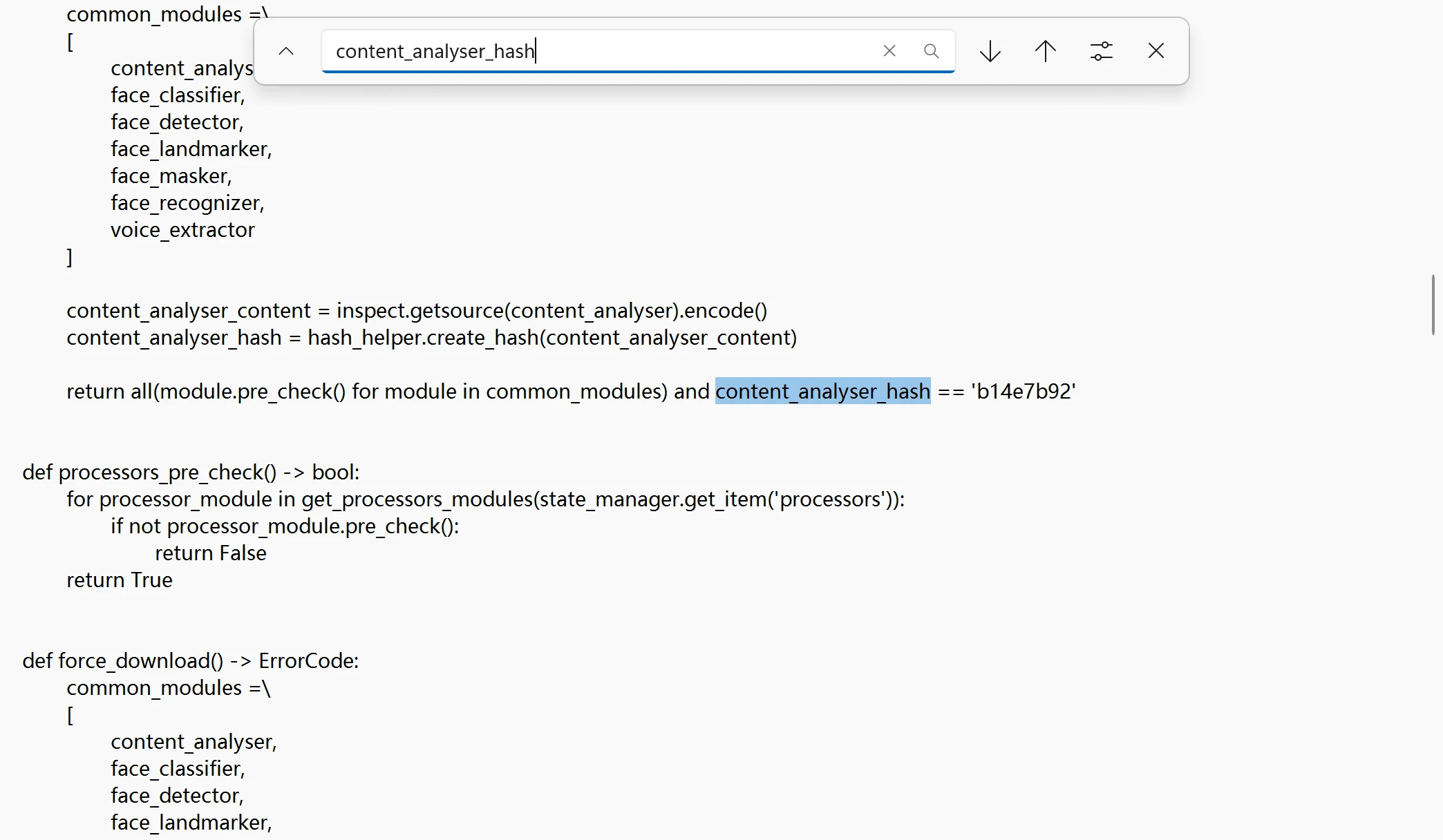
There is also a "lazy pack" that was shared on Mega where someone uploaded pre-modified versions of core.py and content_analyser.py that you could download and drop in as replacements.
Common mistakes people made:
- Formatting errors that crash the program: Many beginners used basic text editors like Notepad to edit the code. This broke Python's indentation (the precise spacing at the start of each line), causing the program to crash with a syntax error on startup.
- Infinite loading screen: Pinokio users reported that after making the changes, the software would get stuck in an endless loading state. Others got stuck at "Analysing: 100%" with the preview still showing a blurred image.
- Normal videos crash the program: Some users found that after modifying the code, importing a completely normal, non-NSFW video caused FaceFusion to shut down or crash entirely.
- Errors persist after clearing cache: Some users followed every step, cleared their cache, and still got "ErrorCode 3" (NSFW detected). Others experienced frequent disconnections mid-processing. Mac users also reported that this method simply did not work on their systems.
How people fixed these issues:
- For the loading/freezing problem: After editing the code, you must delete the
__pycache__folder (where Python stores old compiled code) and the models folder, then restart the software. Skipping this step is the most common reason the changes do not take effect. - For normal video crashes: The recommended workaround was to keep two sets of files: the original and the modified version. You could create a batch file (a simple script) that swaps the original files back in when you need to process normal content, so the program does not crash.
Version 3.5.0 and 3.5.1: The Code Gets Restructured
How to do it:
The developers restructured the code in this release, so the line numbers changed. You need to go to content_analyser.py, find approximately line 197, and change it to return False. Then go to core.py, find approximately line 124, and change it to return all(module.pre_check() for module in common_modules) (removing the hash check that comes after it).
Community members also shared pre-modified replacement files on FEX file hosting for direct download and replacement.
Common mistakes people made:
- Program refuses to start with zero feedback: Many users carefully changed line 197 to
return False, and the program simply would not start. No error message, no crash log, just nothing. You type the launch command and it immediately returns to a blank prompt. - Downloaded files cause import errors: Some people downloaded replacement files from file-sharing sites, only to get an "ImportError" because the files were from a different version or had mismatched dependencies.
- Cannot find the file at all: Users running FaceFusion as a ComfyUI plugin (ComfyUI is a node-based AI image generation tool) discovered that the
content_analyser.pyfile does not exist in the same location. The plugin version has a different file structure, leaving them with no clear file to edit.
How people fixed these issues:
- For the "silent crash" problem: Simply changing line 197 was not enough. The correct approach was to change all the return statements in the detection functions, specifically on lines 140, 155, 160, 166, and 192. Every line that reads
return is_xxxneeds to be changed toreturn False. Alternatively, you can add a#symbol before each of those detection lines to comment them out entirely. - Advanced cache clearing: In some cases, clearing
__pycache__was not sufficient. Users also needed to purge the pip cache (pip is Python's package manager that stores downloaded libraries) to ensure no stale compiled code remained.
Version 3.5.2 and 3.5.3: Defenses Get Stronger
How to do it:
Method 1: In content_analyser.py, the return False approach still worked. In core.py, you keep the basic module check: return all(module.pre_check() for module in common_modules).
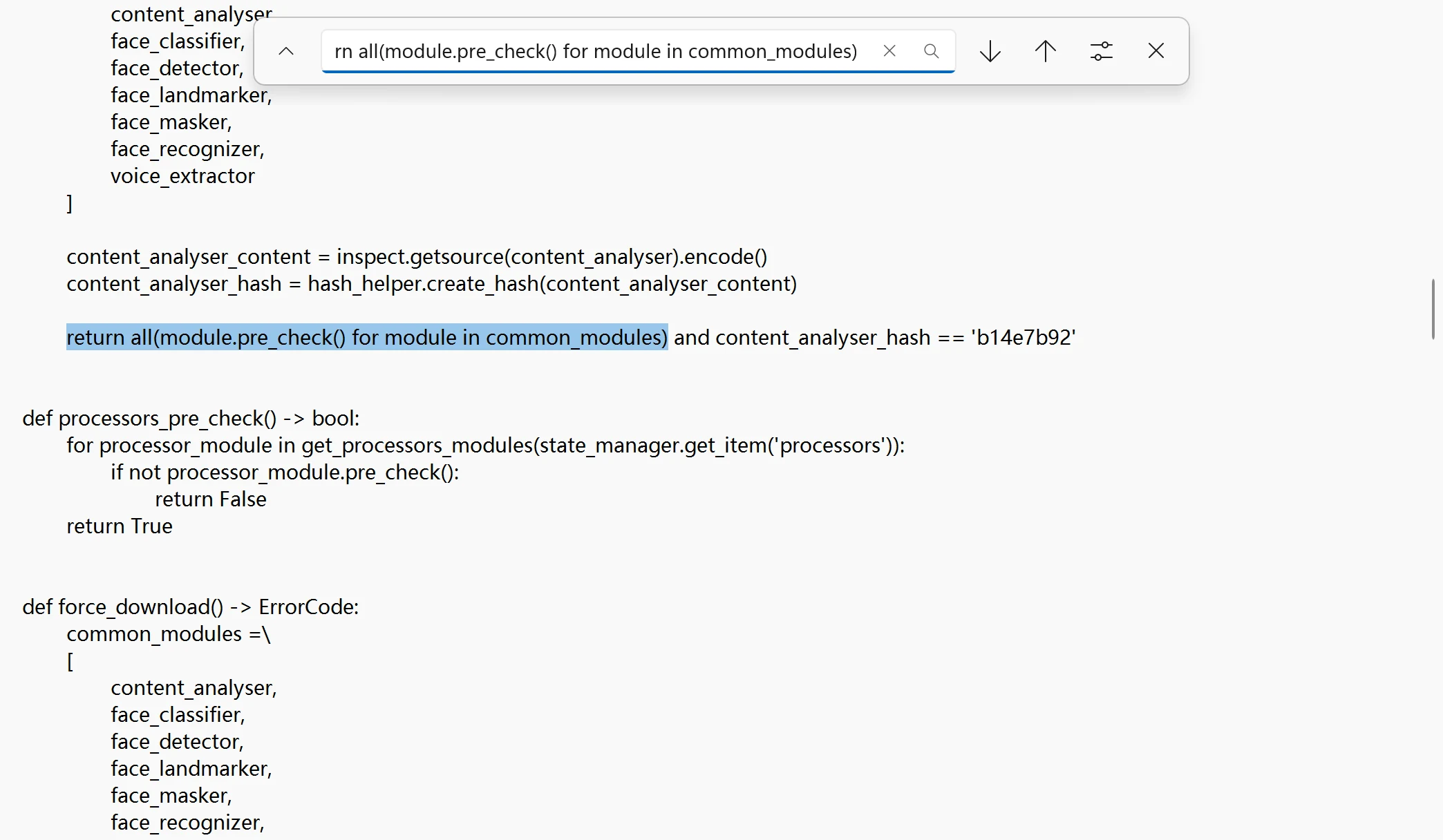
Method 2 (a clever trick): For 3.5.2's enhanced anti-tampering mechanism, instead of removing the hash check entirely, some users simply changed the equals sign (==) to a not-equals sign (!=) in core.py. This flipped the logic so that the program would only block startup if the code had not been modified.
Common mistakes people made:
- Old replacement files completely stopped working: Users who tried to reuse the pre-modified files from the 3.5.1 era found them instantly rejected. The
common_pre_checkhash verification system in the new version detected the mismatch and blocked the program from starting. - Following tutorials step-by-step and still failing: Some users followed every instruction exactly for 3.5.3 and 3.5.4, yet the program either refused to open or the filter remained active despite the changes.
How people fixed these issues:
- The hash flip trick: As described above, changing
==to!=in the hash comparison line was a simple way to bypass the integrity check without needing to know the correct hash value for each version. - A critical UI setting: For version 3.5.3 specifically, community members discovered that in addition to editing the code, you must also change a setting in the FaceFusion interface. The "Face Selector Mode" must not be set to "REFERENCE." If it is, the filter modification will not take effect regardless of what you changed in the code.
Version 3.5.4 and 3.6.0: Maximum Difficulty
How to do it:
The developers significantly hardened the defenses in these versions, making manual editing extremely painful.
For 3.5.4, community members published fully modified replacement code on Pastebin (a website for sharing text). You need to replace three files with the code from these links:
content_analyser.py: https://pastebin.com/414nuu5tcore.py: https://pastebin.com/rEjYbLDArun.js(only if you use Pinokio): https://pastebin.com/zwMspMpK
For 3.6.0, some users fed the entire source code to AI tools like Claude and asked the AI to remove the hash check from the last line of core.py and replace the analyser logic with return False.
Common mistakes people made:
- "I changed it, restarted, and everything reverted!": This was the most devastating issue for Pinokio users. No matter how carefully they edited the code, every time they closed and reopened FaceFusion through Pinokio, the program automatically restored the original files, bringing the filter back to full strength.
- Too many files to change: Users complained that disabling the filter now required editing not just the analyser and core files, but also the preview module, the image-to-image workflow, and potentially other files. Even users with some coding experience who tried using AI coding assistants (like Antigravity) hit walls.
How people fixed these issues:
- The essential fix for Pinokio users: This is the most important step for anyone using Pinokio. Pinokio has a built-in feature that automatically resets modified files every time you restart. To stop this, you must open the
run.jsfile inside your Pinokio FaceFusion installation and find the line that readsgit checkout --quiet -- facefusion. Delete this line or comment it out. This disables the automatic code reset. Only after doing this will your modifications to the Python files survive a restart.
Why Disabling the Filter Is So Problematic
Reading the threads above, a clear pattern emerges. Even when people get the filter disabled for one version, the problems do not stop. Here are the three biggest issues:
Problem 1: Every FaceFusion Update Breaks the Workaround
Remember the "hash check" we mentioned earlier, the digital fingerprint that FaceFusion uses to verify its filter code has not been changed? That fingerprint value is different for every version of FaceFusion.
So when a new version comes out, two things happen:
- Your modified files get overwritten by the update (especially if you use Pinokio or another auto-updating installer).
- Even if you re-apply the same modifications, the expected hash value has changed, so the program detects tampering and refuses to start.
This is why the Reddit community has needed to create new threads for versions 3.1.2, 3.2.0, 3.4.1, 3.5.0, 3.5.1, 3.5.3, and 3.5.4 — each time starting almost from scratch. Users regularly arrive asking "Does the old method still work?" and the answer is almost always no, you need a new set of edits for the new version.
This creates an exhausting cycle:
- New FaceFusion version is released
- Your previous edits stop working
- You wait for someone on Reddit to figure out the new method
- You re-apply the modifications
- The next update arrives, and you start over
Problem 2: The Editing Process Is Extremely Easy to Get Wrong
Disabling the filter requires editing Python source code files, the actual program code that makes FaceFusion run. For people who are not software developers, this is where things go sideways fast:
-
Editing the wrong file: If you installed FaceFusion through Pinokio (a popular app that makes installing AI tools easier), the program files are buried in a deeply nested folder like
C:\pinokio\api\facefusion-pinokio.git\facefusion\facefusion\. Many users accidentally edit a different copy of the file and wonder why nothing changed. -
Breaking the code with bad formatting: Python (the programming language FaceFusion uses) is extremely picky about indentation, meaning the spaces or tabs at the beginning of each line. If you edit a
.pyfile with Windows Notepad or another basic text editor, it is very easy to accidentally add the wrong number of spaces, mix tabs with spaces, or delete a necessary blank line. Python treats any of these as a fatal error and the program will not start at all. This is by far the most common error reported in the Reddit threads. -
Forgetting to clear the cache: Python does not re-read your edited code every time it runs. Instead, it uses a pre-compiled version stored in a hidden folder called
__pycache__. If you edit the source file but do not delete this cache, the old version of the code keeps running. This is the number one reason people say "I made the change but nothing happened." -
Only fixing part of the problem: Depending on the FaceFusion version, you may need to edit two, three, or even more files. If you change the detection logic in one file but forget to remove the integrity check in another, FaceFusion will either crash on startup or appear to work but still block your content.
Problem 3: Even After Successfully Disabling, Other Things Break
Some users who do manage to disable the filter report that new problems appear:
-
Photos work, but videos are still blocked: FaceFusion checks images and videos through separate code paths. If you only disabled the image-checking function, video processing still gets blocked by a different function.
-
The preview is still blurry: The live preview in the FaceFusion UI sometimes uses a different analysis path than the final output processing. So even if the output file is fine, the preview window may still show a blurred image.
-
Everything runs slower: Some users report that the NSFW detection models still load and run in the background even after the modification. They just have their results ignored. This wastes GPU processing power and slows down the actual face swap.
-
Normal, non-NSFW content stops working: In some cases, the modifications caused FaceFusion to fail on completely safe photos and videos. This happened because the rest of the program expected the filter to return data in a specific format, and the modification broke that format.
-
Downloading pre-modified files from strangers is risky: Several Reddit threads include links to file-sharing sites (Mega, Pastebin, Google Drive) where people upload their modified versions of FaceFusion's core files. Downloading and replacing critical Python files from anonymous internet users is a serious security risk. These files could contain malware, backdoors, or code that sends your data elsewhere.
A Better Alternative: Use FaceFusion Online at FaceFusion.co
If all you want is to swap faces in your photos or videos, and you do not want to deal with Python code, version updates, broken workarounds, and security risks, there is a much simpler path.
FaceFusion.co is an online face swap platform that works entirely in your web browser. You do not need to download anything, install anything, or own a powerful computer. You upload your photo or video, pick the face you want to swap, and the platform does the rest on cloud servers.
How FaceFusion.co Compares to the Local Version
| FaceFusion (Local / Open Source) | FaceFusion.co (Online) | |
|---|---|---|
| Setup | Requires installing Python, Conda (a package manager), CUDA drivers (for NVIDIA GPUs), and downloading 10+ GB of model files | None. Just open your browser and go. |
| Hardware | Needs a computer with an NVIDIA GPU (graphics card), typically costing $300+ | Any device with a browser: phone, tablet, laptop, desktop |
| NSFW Filter | Built-in, with no official way to disable it | No content restrictions |
| Updates | Every update can break your setup and require re-editing source code | Always running the latest version automatically |
| Speed | Depends entirely on your hardware | About 8 seconds for photos, about 60 seconds for short video clips (powered by NVIDIA A100 cloud GPUs) |
| Face Accuracy | Varies by model and settings | 95.8% face similarity using 12+ AI models |
| Video | Supported, but requires significant local processing power | Supported, with frame-by-frame face tracking |
| Resolution | Limited by your GPU's memory (VRAM) | Up to 4K output |
| Group Swap | Limited in the visual interface; batch mode available through command line | Up to 10 faces in a single photo |
| Lip Sync | Available since version 3.3.0 | Built-in and automatic |
| Enhancement | You choose and configure face enhancement models manually | Automatic enhancement with 9 models (GFPGAN, CodeFormer, GPEN) |
| Privacy | Files stay on your machine | Files processed on isolated servers, auto-deleted within 24 hours |
| Cost | Free software, but you need to buy GPU hardware | Free daily credits, paid plans for higher volume, no watermark |
Why FaceFusion.co Makes More Sense for Most People
- No filter to fight with: You never have to edit source code, clear Python caches, or worry about hash checks. Just upload and process.
- Zero technical setup: No Python, no Conda, no CUDA, no downloading model files, no terminal commands. If you can use a website, you can use FaceFusion.co.
- Works on any device: Your phone, your Chromebook, your old laptop. It does not matter because all the heavy lifting happens on cloud servers.
- Always up to date: When better models come out, FaceFusion.co adds them automatically. You never have to manually update and re-apply workarounds.
- Professional results out of the box: 95.8% face similarity, automatic face enhancement, built-in lip sync, and up to 4K resolution, with no manual configuration required.
- Your privacy is protected: Every file you upload is processed on an isolated server instance and automatically deleted within 24 hours. Nothing is stored, shared, or used for training.
Try It Now
No sign-up required, no downloads, no filters to disable.
Frequently Asked Questions
Is there an official setting to disable the FaceFusion NSFW filter?
No. The official CLI documentation, facefusion.ini, and documented misc flags do not include any NSFW toggle. Community methods rely on editing Python source files, which is unsupported and fragile.
Why does my preview go blurry, or why does the CLI return error code 3?
FaceFusion blocked the run because NSFW content was detected. You may see a blurred preview, stalled progress at "Analysing," no saved output, or CLI error code 3 for NSFW detection.
Why do NSFW workarounds stop working after an update?
Each release can change code layout and the expected hash fingerprint for content_analyser.py. Updates also overwrite edited files—especially with installers like Pinokio—so old patches usually need to be redone.
Is it safe to download pre-modified core.py or content_analyser.py from strangers?
No. Replacing core program files from unknown uploads is a serious security risk (malware, backdoors, or data exfiltration). Prefer editing your own copies or using a trusted online service.
Is there an alternative that does not require editing code?
Yes. FaceFusion.co offers browser-based face swap without the local NSFW filter workarounds described in this guide.
Conclusion
The FaceFusion NSFW filter has been part of the software since version 1.0.0 and has only gotten harder to bypass over time. There is no official setting to turn it off: not in the menus, not in the config file, and not in the command-line options. The community workarounds require editing Python source code, break with every version update, are easy to get wrong (especially if you use Pinokio), and come with real security risks when you download modified files from strangers.
If you have spent hours trying to disable the FaceFusion NSFW filter and keep running into errors, consider stepping back and asking: is the hassle worth it?
FaceFusion.co gives you the same face swap technology online, with no content restrictions, no setup, and free credits to get started. Just open your browser and go.